Apple continues to expand how businesses appear across its ecosystem, and Apple Business Connect is a critical part of that strategy. Over the past year, Apple has invested in adding features to allow businesses to control how they appear across the Map, Siri, Mail and more. If you manage one location or hundreds, Apple Business Connect plays a direct role in how customers discover, evaluate, and interact with your brand.
What Is Apple Business Connect?
Apple Business Connect is Apple’s free platform that allows businesses to claim and manage how their locations appear on Apple Maps and control how they show up across other Apple applications and features.
Through Business Connect, businesses can:
- Control key business information such as name, address, hours, and categories
- Customize place cards with logos, cover photos, and images
- Highlight timely updates and promotions
- Offer customer actions such as ordering, booking, or viewing menus
- Access insights about how customers interact with their place cards
Apple Business Connect is the primary source for managing brand presence across Apple apps, and so accuracy, clarity, and brand consistency are central to how Apple displays business information.
Why Apple Business Connect Matters More in 2026
Apple Maps usage continues to grow globally, especially in mobile and in-car contexts. For many users, Apple Maps and Siri are not secondary tools, they are the default.
From a visibility standpoint, Apple Business Connect allows you to control:
- How your brand appears when users search in Apple Maps
- Whether your place card is complete, trustworthy, and up to date
Apple Business Connect Core Features
Place Cards and Business Information
Your place card is the foundation. This includes:
- Business name and location details
- Operating hours and special hours
- Categories and attributes that help users understand what your business offers
It’s important to keep this information current, especially around holidays, temporary closures, or seasonal changes.

Visual Identity
Visual consistency and quality is highly important.
Brands can add:
- A logo that represents the brand clearly
- A cover photo that reflects the real-world experience
- Additional images showing the location, interior, or products
Images should be authentic, high-quality, and free from overlays, promotional text, or watermarks.
Customer Actions
Depending on the business type, place cards can include actions like:
- Ordering food
- Booking appointments
- Viewing menus or services
These actions are designed to reduce friction and help customers move from discovery to engagement without leaving Apple Maps.
Insights and Performance Signals
Apple Business Connect provides access to insights that show how users interact with your place card. This includes views, taps, and engagement with actions that help businesses understand:
- Whether their locations are being discovered
- Which actions customers use most
- How updates or visual changes affect engagement
For brands managing multiple locations, these signals are especially useful when reviewed alongside other local visibility data.
Apple Business Connect in Practice: Generation Tux
Apple Business Connect can play an important role in helping customers discover physical locations, especially for brands expanding from online into in-person experiences.
Dive deeper into Generation Tux success story with Apple Business Connect.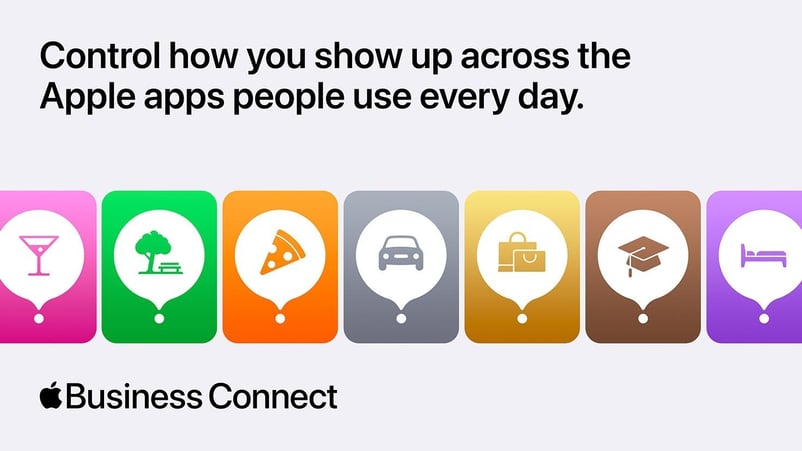
How PinMeTo Supports Apple Business Connect at Scale
Managing listings across platforms can be time-consuming, especially for brands with multiple locations. PinMeTo offers direct integration with Apple Business Connect, streamlining this process by providing brands with:
Centralized Control: Manage all your business listings from one dashboard, reducing complexity.
Automated Updates: Changes made within PinMeTo instantly sync to your Apple Business Connect listings, ensuring accuracy.
Data Accuracy: Automated synchronization reduces errors, maintaining consistency across locations.
Enhanced Efficiency: Spend less time on manual updates, focusing on strategic initiatives that drive success.
To Sum Up
Optimizing your Apple Business Connect listing enhances visibility and customer engagement across Apple's ecosystem. Focus on accurate information, high-quality visuals, interactive features, and leverage analytics. Embrace these opportunities to reach a wider audience and deliver exceptional experiences that encourage loyalty. Get started today by registering for free for Apple Business Connect.
FAQ: Apple Business Connect
What is Apple Business Connect used for?
Apple Business Connect allows businesses to manage how their locations appear on Apple Maps and across Apple apps, including place cards, images, actions, and updates.
Is Apple Business Connect free?
Yes. Apple Business Connect is a free platform provided by Apple.
How often should business information be updated?
Apple recommends updating information whenever hours, services, or availability change — especially for holidays or special events.
Do multi-location brands need Apple Business Connect?
Yes. For multi-location brands, Business Connect helps ensure each location is represented accurately and consistently across Apple Maps.
Lily Adamyan, January 29