






Bing Places for Business listing management with PinMeTo

Bing Places for Business: Optimize Your Listings with PinMeTo

Maximize your business potential on Bing Places. PinMeTo's local marketing tools enhance your visibility and accuracy across all key platforms and mapping apps.

Book a Demo

Trusted by Leading Brands Worldwide

Boots
H&M
7-Eleven
Starbucks
Coop
AVIA
Ragn-Sells
Fitness24Seven
XL-BYGG
Waynes Coffee
GroupM
Smile
Region Skane
Epaka

What Is Bing Places for Business?

Bing Places for Business is Microsoft's free tool for managing how your business appears across Bing Search and Bing Maps. With millions of daily searches happening on Bing, especially from desktop users and enterprise environments, having accurate listings on Bing Places is essential for local visibility.

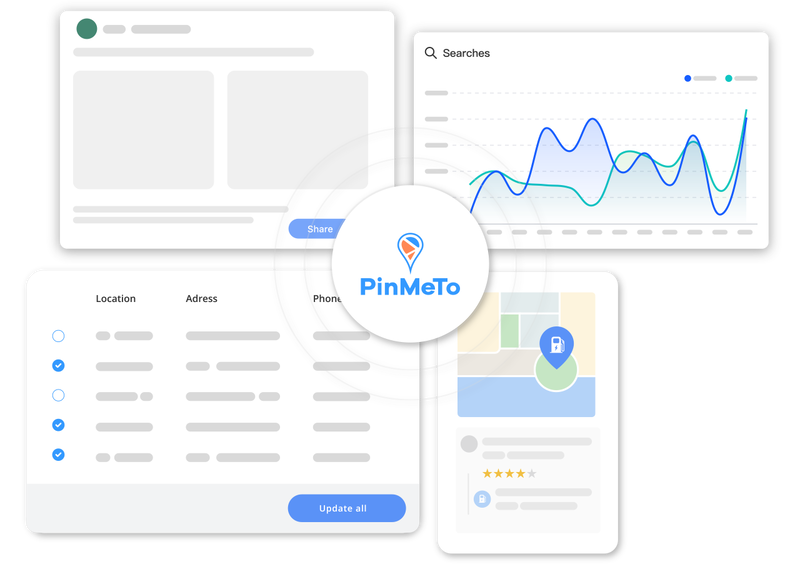
PinMeTo integrates directly with Bing Places so you can manage your Bing listings alongside Google, Apple Maps, and 100+ other platforms from a single dashboard. No more juggling multiple portals.
How PinMeTo Enhances Your Bing Places Presence

Seamless Bing Integration

PinMeTo connects directly to Bing Places for Business, letting you manage listings at scale without logging into the Bing portal.

Expand Your Reach

Bing powers search on Microsoft Edge, Windows, and Cortana. Make sure your business is discoverable across this entire ecosystem.

Real-Time Listing Updates

Push changes to business hours, addresses, categories, and photos across Bing and all other platforms simultaneously.

Consistent NAP Data

Keep your name, address, and phone number accurate and consistent across Bing, Google, Apple Maps, and every other directory.

Conflict Detection Alerts

Get notified when Bing or other platforms make unauthorized changes to your business data and resolve issues instantly.

Performance Tracking

Monitor search impressions, customer actions, and engagement metrics for your Bing Places listings alongside all other platforms.

Claim and Optimize Your Bing Places Listings

Many businesses have unclaimed or inaccurate Bing Places listings that could be costing them customers. PinMeTo helps you claim, verify, and optimize every location on Bing alongside your other platforms.

From adding complete business descriptions and categories to uploading photos and setting special hours, PinMeTo ensures your Bing Places profiles are fully optimized and up to date.

PinMeTo dashboard for Bing Places listing optimization

Scale Across Hundreds of Locations

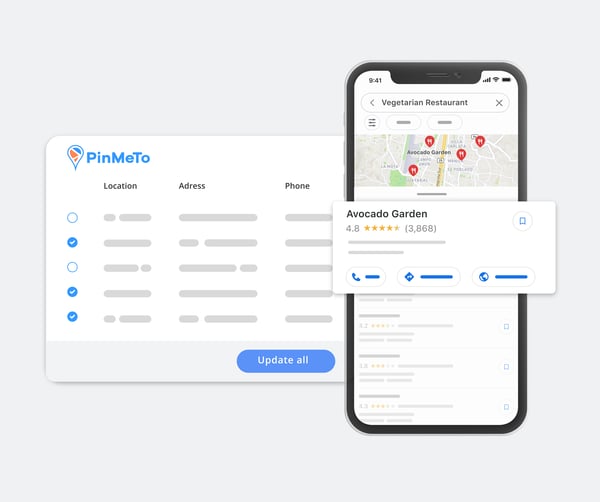
For multi-location brands, managing Bing Places listings one by one is impractical. PinMeTo lets you update thousands of locations at once with bulk editing tools, CSV imports, and API integrations.

Whether you are updating holiday hours across all locations or rolling out a new phone system, changes propagate to Bing and every other platform in minutes, not days.

Bulk Bing Places listing management with PinMeTo

Market-Leading Customer Service

PinMeTo provides one-on-one onboarding and free online support to all customers. Our in-house support team responds within minutes, guiding you through Bing Places setup and ongoing multi-platform listing management.

PinMeTo customer service team

Why Choose PinMeTo for Bing Places Management

100+ Platforms in One Dashboard

Manage Bing Places, Google, Apple Maps, Facebook, Waze, TomTom, and more without switching between tools.

Built for Multi-Location Brands

Handle thousands of Bing Places listings with bulk tools, automated syncing, and enterprise-grade API integrations.

Enterprise-Grade Security

ISO 27001 certified and fully GDPR compliant. Your business data is protected at every level.

Frequently Asked Questions

What is Bing Places for Business?

Bing Places for Business is Microsoft's free tool for managing your business listings on Bing Search and Bing Maps. It lets you control your business name, address, phone number, hours, categories, photos, and more to ensure customers find accurate information when they search on Bing.

How does PinMeTo help manage Bing Places listings?

PinMeTo connects directly to Bing Places for Business, allowing you to manage your Bing listings alongside Google, Apple Maps, and 100+ other platforms from a single dashboard. You can create, update, and monitor all your Bing Places profiles without logging into the Bing portal separately.

Do updates sync to Bing Places in real time?

When you make changes in PinMeTo, updates are pushed to Bing Places and all other connected platforms in near real-time. Bing typically reflects changes within a few hours, ensuring your listings stay accurate and up to date.

How many platforms does PinMeTo support beyond Bing?

PinMeTo manages listings across 100+ platforms including Google Business Profile, Apple Maps, Facebook, Instagram, Waze, TomTom, HERE, Foursquare, Yelp, and many more. All managed from one centralized dashboard.

How do I claim my Bing Places listings through PinMeTo?

PinMeTo streamlines the claiming process by connecting to Bing Places for Business on your behalf. Our onboarding team helps you claim and verify all your locations, then you can manage them alongside every other platform directly from the PinMeTo dashboard.

Optimize Your Bing Places Listings Today

Let PinMeTo manage your Bing Places for Business profiles alongside 100+ other platforms. One dashboard, every location.
Book a Demo