Use Google Posts to display your message right in the search results
Originally published
- Google Business Profile
At the end of July and beginning of August in Sweden, many people start getting ready for Kraftskiva, a traditional summer party. This is a summer party with crayfish, funny hats, and schnapps as the main attractions. Then, think about how much value a company could get from having Kraftskiva-related things show up right in their Google search results. How would free shipping, savings on decorations, or a sale on the crayfish themselves affect the likelihood that someone would buy them? This way of thinking can be used almost anywhere. It could be used for seasonal, regional, weather-based, or just about any other kind of deal. So, as a business owner or marketing manager, how can you use the fact that this kind of purchase can affect exposure to your advantage?
Google Posts is the answer.
Google is the search engine most people use, and it keeps adding new features and tools to help businesses make their search results more appealing to buyers. If you set up your business correctly on Google and Google Maps, more people will be able to find you through direct and indirect searches, and the search results will include all the necessary contact information, logos, and pictures. If you do this right, your business can take up to 42% of the screen on desktop and laptop search results (see picture below) and the whole screen on mobile (search results will be below your business, so the customer will have to scroll down). That’s a lot of room that can have a big effect on whether or not someone buys something.
Embedded Directly in Google Business Profile
Google Business Posts allow you to leverage your verified Google Business Profile listings by adding custom content directly in the search results! Google Posts are available to all verified businesses. You can find the posting tool in your Google Business Profile dashboard by navigating to the “Create Post” button. For chains managing dozens or hundreds of locations, a listings management platform lets you publish Google Posts to all your profiles at once.
- Posts are visible for up to 6 months, giving your content a longer shelf life in search results.
Recommended Articles
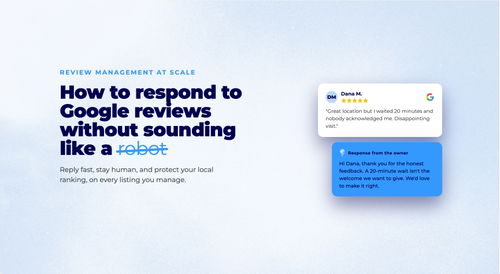
How to Respond to Google Reviews at Scale Without Sounding Like a Robot
Manage review responses across dozens of locations without losing authenticity. Templates, timing, and a workflow for enterprise-scale review management.
Daniel Melkersson
Google Business Profile Best Practices: The 2026 Playbook
Master Google Business Profile best practices in 2026 with data-backed strategies for multi-location brands to boost local visibility and drive conversions.
Astghik Nikoghosyan
7 Google Business Profile Updates That Matter in 2026
From AI-generated Q&A to algorithm changes, here are the 7 Google Business Profile updates in 2026 that multi-location brands need to act on now.
Malin Dotevall BanksFrequently Asked Questions
What are Google Posts and how do they work?
How can multi-location businesses use Google Posts effectively?
Do Google Posts help with local SEO?
Subscribe to Our Newsletter
Get local SEO tips, product updates, and marketing insights for multi-location brands delivered to your inbox.
Ready to boost your local visibility?
See how PinMeTo helps multi-location brands manage listings, reviews, and local SEO at scale.
Book a Demo