Google Business Profile Best Practices: The 2026 Playbook
- Local SEO
- Multi-Location
- Google Business Profile
- How-to Guides
Quick take
- Businesses with complete Google Business Profiles receive 7x more clicks than incomplete ones, according to Google's own 2026 data.
- 86% of GBP views come from category-based discovery searches, not direct brand-name searches, per Birdeye's 2025 study.
- Responding to reviews increases the likelihood of a customer choosing your business by 65%, according to Google's 2026 playbook.
- Google now supports native multi-location post scheduling, WhatsApp messaging, and direct booking integrations directly in the profile.
- Managing 12 profile fields across 50+ locations manually is not operationally viable without a centralized platform.
The most effective Google Business Profile strategy in 2026 focuses on four things: maintain all 12 profile fields completely and accurately at every location, respond to every review within 48 hours, post at least once per week, and use a centralized platform to keep all of this consistent across every location simultaneously. Everything else is a detail.
Every month, Google drives more than two billion direct connections for businesses on its platform: phone calls, direction requests, messages, bookings, and reviews. For multi-location brands, those connections represent a measurable opportunity, but only if each location is set up to capture them.
According to Google’s 2026 GBP Best Practices Playbook, businesses with complete profiles receive 7x more clicks than incomplete ones. And 29% of customers say they are more likely to consider purchasing from businesses with detailed profiles.
The question is not whether completeness matters. It is how you maintain that standard across dozens, hundreds, or thousands of locations. For context on what changed in GBP during 2026 specifically, see our breakdown of the seven major GBP updates in 2026.
Why Profile Completeness Is a Ranking Signal, Not Just a Checkbox
Profile completeness directly affects how often your listing appears in search. Regularly updated Business Profiles receive 5x more views than static ones. A 2025 Birdeye study found that fully populated and verified profiles surface 80% more often in search and generate 4x more website visits, 12% more calls, and 10% more direction requests than incomplete or unverified listings.
Profile completeness means more than filling in your address and phone number. Google’s 2026 playbook identifies over a dozen fields that contribute to what its algorithm considers a complete profile: business categories, descriptions, hours (including special and holiday hours), photos, attributes, service lists, social links, chat links, and booking integrations.
For a single-location business, maintaining all of these is a weekend project. For a brand with 200 locations, it is an operational challenge that requires a system. This is also closely tied to broader GEO and multi-location SEO strategy: every complete, accurate profile contributes to topical authority across your entire footprint.
The Twelve Fields That Matter Most
Google’s playbook organizes profile completeness into specific, actionable fields. Here is what each one involves and why it matters.
1. Business Name, Address, and Phone Number (NAP)
Your business name must match your real-world signage, and your address and phone number must be consistent across every platform where your business appears. 46% of all Google searches have local intent, and Google cross-references your NAP data across the web to determine accuracy and trustworthiness. Even small inconsistencies (abbreviating “Street” to “St.” on one platform but not another) can create friction.
Multi-location brands should audit NAP consistency quarterly. One outdated phone number at one location can erode trust across the entire brand. See our guide on managing business listings at scale for how to run this audit efficiently.
2. Business Categories
Google allows up to ten categories per profile: one primary and nine secondary. Your primary category tells Google your core business, while secondary categories define additional services and products. According to Birdeye’s 2025 data, 86% of all Google Business Profile views come from category-based searches like “dentist open now” or “best dog groomer.”
Choosing categories is not a creative exercise. It is a search strategy decision. Research which category terms generate the most search volume in your industry, and apply them consistently across all locations. For more detail on which categories matter most and how to research them, see our guide to Google Business Profile categories.
3. Business Description
Google now offers an AI-powered tool that can suggest a description based on your profile and website. While useful for getting started, multi-location brands should avoid using identical descriptions across every location. Each description should mention the specific neighborhood, city, or community the location serves. Generic, copy-pasted descriptions are exactly the kind of duplicate content Google’s algorithms now deprioritize.
4. Business Hours (Including Special and Holiday Hours)
96% of customers say they are more likely to visit a business that displays hours of operation, according to data cited in Google’s playbook. For multi-location brands, the risk is not forgetting to set hours initially. It is forgetting to update them when they change, particularly during holidays, seasonal shifts, or unexpected closures.
Google’s playbook specifically warns that inaccurate hours during festive periods cause negative customer experiences. If your brand operates hundreds of locations with varying holiday schedules, you need a centralized process to push hour updates across all profiles simultaneously.
5. Photos and Videos
The numbers here are striking. Businesses that add photos receive 42% more direction requests on Google Maps. 90% of people are more likely to visit a business with photos on Google Search and Maps. And businesses with photos receive 35% more clicks through to their websites.
For multi-location brands, the challenge is both quality and freshness. Stock photos will not cut it. Each location needs authentic, recent images of its actual storefront, team, products, and atmosphere. Set a regular cadence (at least monthly) for adding new visual content.
6. Google Posts
Think of Google Posts as your profile’s content feed, displayed directly on the search results page. 50% of customers look for promotions or discounts when searching for a business online, and posts are where you surface those.
Google’s playbook recommends posting at least once a week using a mix of three post types: Updates, Events, and Offers. A case study featuring Crate and Barrel showed that adding Google Posts resulted in a 31% increase in Google Map Views and a 6% increase in Google Search Views.
7. Social Media Links
Linking your social media accounts to your GBP allows your social posts to appear directly in search results. A case study with Painting with a Twist showed a 9% increase in GBP impressions, a 10% increase in web clicks and phone calls, and a 14% increase in Google-sourced users after adding social links.
For multi-location brands, make sure each location links to its own social accounts rather than just the corporate pages, wherever location-level accounts exist.
8. Chat Links (WhatsApp and SMS)
67% of people prefer messaging a business over calling or emailing, and 60% say WhatsApp is their preferred chat platform for interacting with a store. Google now supports both WhatsApp and text message integrations directly on your profile.
For multi-location brands, this is a staffing and workflow consideration. Enabling chat without having someone to respond defeats the purpose. If you can staff it, this is one of the highest-impact engagement features available.
9. Service Lists and Menus
For service-based businesses, a detailed service list with descriptions and pricing builds immediate trust and helps customers decide before they visit. Google allows you to organize services into categories and add custom services if the suggested options do not cover your offerings. Keep these updated as your services change and tailor them by location where what you offer differs.
10. Attributes
Attributes are the details that help customers with specific needs find you: “wheelchair accessible,” “free Wi-Fi,” “pet-friendly,” “outdoor seating.” These appear directly on Google Search and Maps and influence which searches your profile appears in. For multi-location brands, attributes often vary by location. A centralized template with location-level overrides keeps this accurate at scale.
11. Appointments and Bookings
77% of consumers expect to be able to book services online. Google supports booking through approved booking partners, which adds a prominent “Book Online” button to your profile. If your business category is eligible, this feature removes a major friction point from the customer journey.
12. Service Area (for Service-Area Businesses)
If your business serves customers at their location rather than at a storefront, setting your service area tells Google exactly where you operate. You can define up to 20 service areas, but they should not extend more than about two hours of driving time from your base. For hybrid businesses (storefront plus delivery or on-site service), configure both your physical address and service area.
Reviews Are a Two-Way Conversation
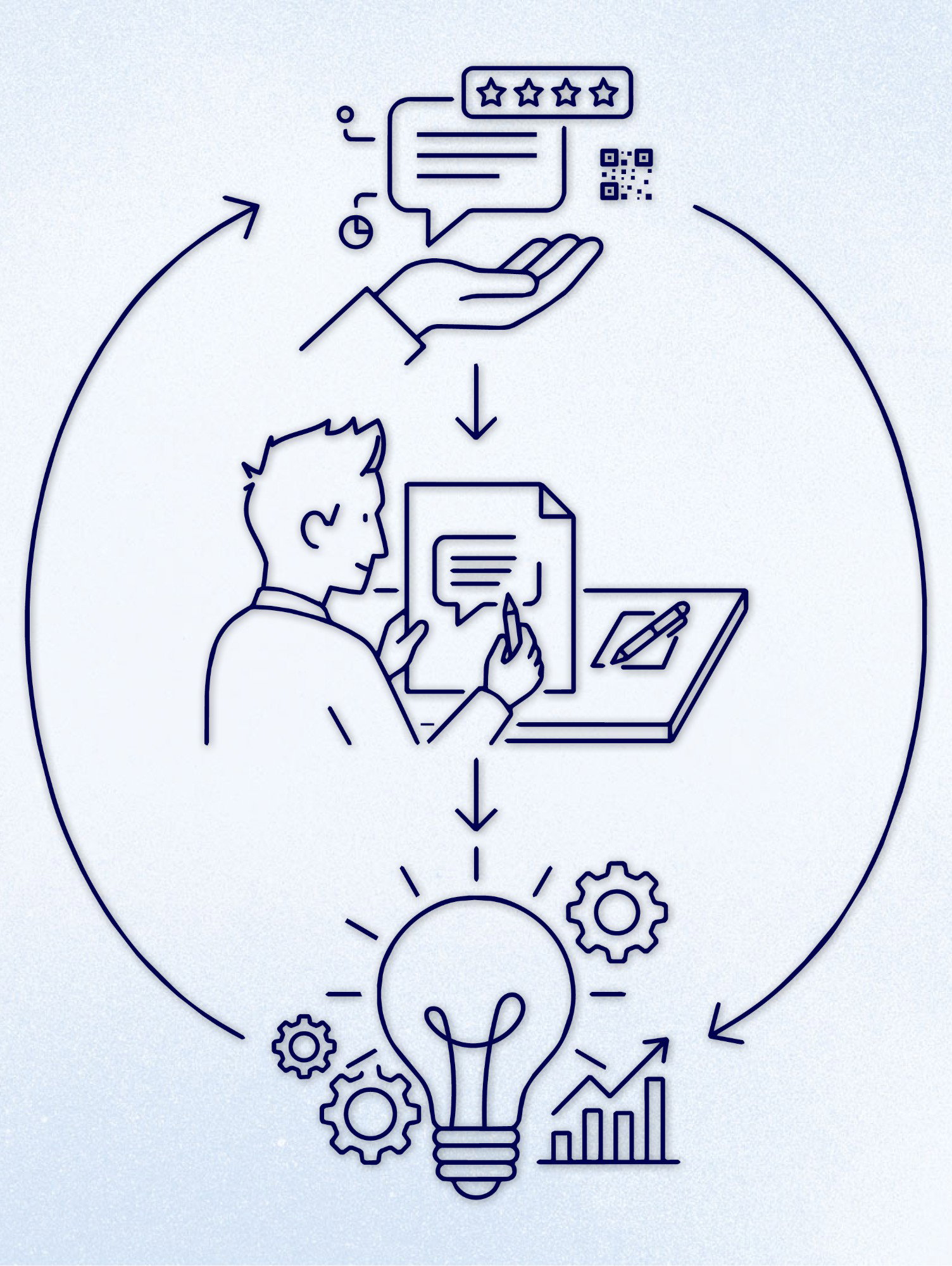
Reviews are simultaneously the most influential ranking signal and the most visible trust factor for potential customers. 91% of consumers use reviews to evaluate local businesses, and 65% say they are more likely to choose a business that responds to reviews.
Brands that win at review management do three things consistently. First, they make it easy for customers to leave reviews by placing QR codes on receipts, menus, and storefronts (Google now generates these QR codes directly within your profile). Second, they respond to every review, positive and negative, within 24 to 48 hours. Third, they use review feedback to identify recurring operational issues, turning customer insights into action.
For multi-location brands, every location needs its own review management workflow. A single corporate team cannot meaningfully respond to reviews across hundreds of locations with the specificity customers expect. The response to a review about a long wait at your Hamburg location should reference Hamburg, not sound like a generic template. For more on the SEO impact of responding to reviews, read our dedicated guide.
Verification, Ownership, and Access Control
Many brands overlook profile ownership until it becomes a crisis. Verification, manager access, and ownership transfers all need to be managed proactively.
Verification is the first step. Without it, you cannot edit your business information or respond to reviews. Google offers five verification methods, and the method assigned to your business depends on your category.
Multiple managers are essential for business continuity. Google’s playbook specifically warns about the risk of a single employee managing a profile and then leaving the organization. Assign at least two managers to every profile, and audit your access list regularly to ensure only current staff have credentials.
Ownership transfer is a common pain point for growing brands. If your profile was set up by a former employee or external agency, you may need to request ownership through Google’s formal process. Brands that grow through acquisition often inherit profiles with unclear ownership chains that need to be resolved before any optimization can happen.
Scaling Google Business Profile Management Across Locations
The complexity of GBP management multiplies directly with your location count, and the most common mistake multi-location brands make is treating it as a series of one-off edits rather than a managed system.
Profiles drift. Holiday hours go stale. New services get added at some locations but do not get reflected in their GBP profiles. Photos age. Posts stop. Without a system, quality erodes at the speed of your team’s attention span.
Brands that maintain consistent profile quality share a few traits. They centralize profile governance so that brand-level fields (name, categories, description templates) are managed by a central team, while location-specific fields (hours, photos, posts, reviews) are managed locally with clear guidelines. They schedule regular audits (monthly at minimum) to catch drift before it compounds. And they use technology to push updates at scale rather than logging into each profile individually.
Platforms like PinMeTo’s local listing management help multi-location brands manage this at scale, providing a single dashboard to keep every location accurate, complete, and performing across Google and other search surfaces.
Your Google Business Profile Optimization Checklist
Use this as a quarterly audit template for every location:
- Verify that your business name, address, and phone number match your website and other directories
- Confirm your primary and secondary categories reflect your actual services
- Review and refresh your business description with location-specific details
- Update regular hours, special hours, and holiday hours
- Add at least five new photos from the past quarter
- Publish at least one Google Post per week (mix of Updates, Events, and Offers)
- Link all active social media accounts
- Enable and staff chat if your team can respond within the hour
- Update your service list or menu with current offerings and pricing
- Review and update attributes (accessibility, amenities, payment methods)
- Confirm your booking integration is active and functional
- Respond to every review from the past quarter
- Audit manager access and remove former employees
- Verify at least two team members have manager or owner access

Recommended Articles
How to Respond to Google Reviews at Scale Without Sounding Like a Robot
Manage review responses across dozens of locations without losing authenticity. Templates, timing, and a workflow for enterprise-scale review management.
Daniel Melkersson
Understanding Google Local Algorithm for Multi-Location Brands
Boost your multi-location brand’s visibility by mastering Google’s local algorithm. Learn actionable tips on optimizing your profile, reviews, and local SEO strategy.
Lily Adamyan
How to Clean Up Your Brand’s Online Presence
Learn how to clean up your online presence in our step by step manual for multi-location brands. Step 1 is to conduct an online presence audit: assess your...
Lily AdamyanFrequently Asked Questions
How often should I update my Google Business Profile?
Do Google Business Profile categories affect which searches I appear in?
Is it worth responding to every Google review, including positive ones?
Can I use the same business description for all my locations?
What is the difference between a primary and secondary business category on Google?
Subscribe to Our Newsletter
Get local SEO tips, product updates, and marketing insights for multi-location brands delivered to your inbox.
Ready to boost your local visibility?
See how PinMeTo helps multi-location brands manage listings, reviews, and local SEO at scale.
Book a Demo