How to Respond to Google Reviews at Scale Without Sounding Like a Robot
- Local SEO
- Multi-Location
- Google Business Profile
- Reviews & Reputation
- How-to Guides
Quick take
- Responding to reviews is part of Google's local ranking picture, and Google itself says it can improve your local ranking. Doing it well at scale is an operational problem, not a copywriting one.
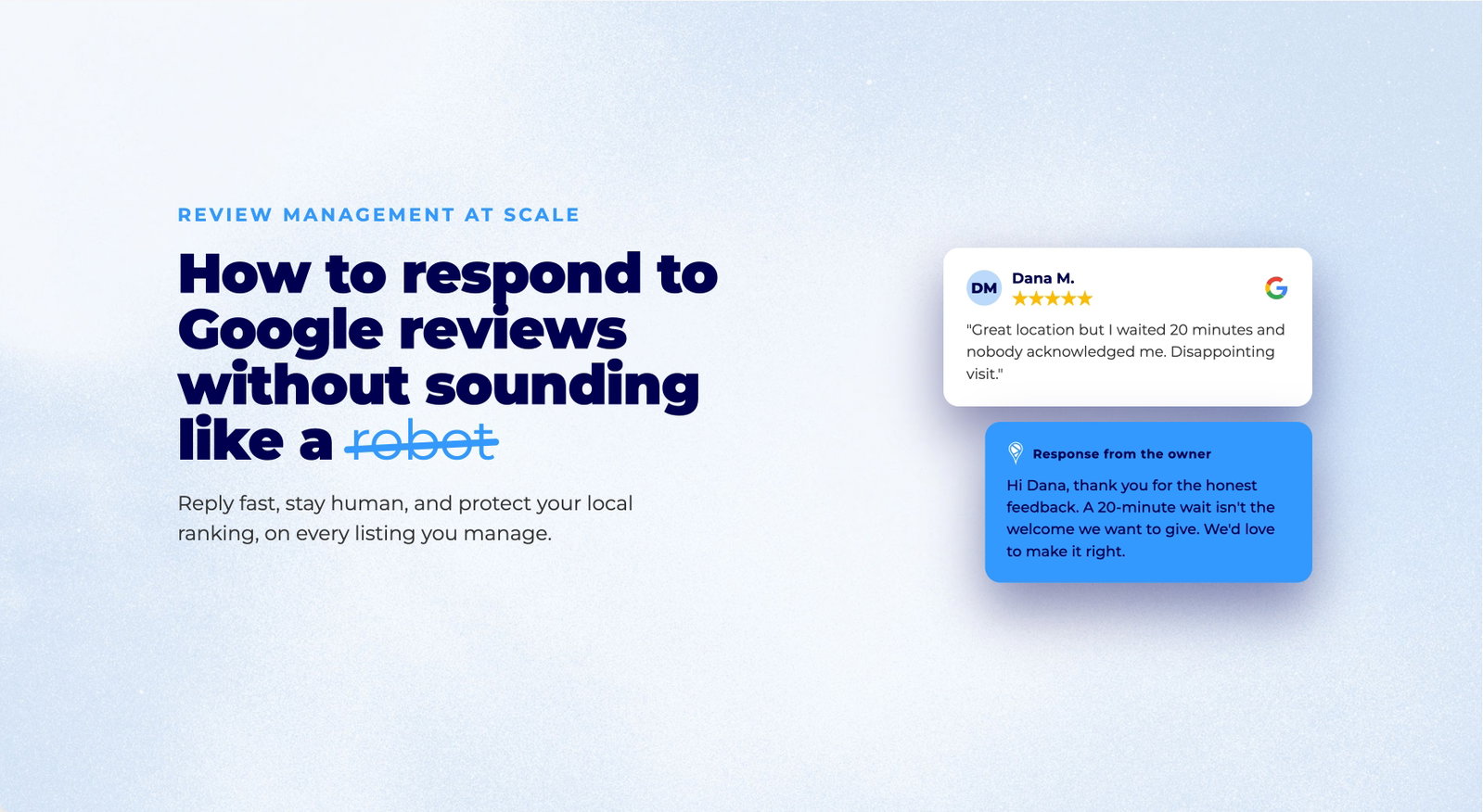
- Templated responses save time but read as automated. Fully personalized responses do not scale. The fix is a hybrid workflow: categorize, use tiered templates, and escalate the ones that need a human.
- Sort every review into four categories (positive, neutral, negative, spam) and give each its own response rule and time target.
- This article gives you the categories, the templates, the timing targets, and a checklist to run it across dozens or hundreds of locations.
The real question for a multi-location brand is this: how do you give every review a thoughtful response when your team manages 150 locations across three regions?
You cannot, not manually and not sustainably. But you can build a system that feels personal while it scales.
Review responses matter more than they used to. According to BrightLocal’s Local Consumer Review Survey, the large majority of consumers read how businesses respond to reviews, and many say they are more likely to use a business that responds to all of its reviews. Google is explicit on its side too: responding to reviews shows customers you value their feedback and can help your business stand out in local search.
The tension is real. Templated responses save time but kill authenticity. Personalized replies scale poorly. The solution is not to pick one or the other. It is to build a hybrid workflow that uses smart categorization, tiered templates, and strategic escalation to respond authentically at volume.
Why Review Responses Belong in Your Local Search Strategy
Google ranks local results on three main factors: relevance, distance, and prominence. Reviews feed directly into prominence. More high-quality reviews and higher ratings can improve your local ranking, and Google states plainly that responding to reviews is part of showing you value your customers.
What this means in practice for a multi-location brand:
- Responding is a signal of active management. A profile where reviews are read and answered looks maintained. One where reviews pile up unanswered looks abandoned.
- Recency and consistency help. Regular engagement across your profile (posts, photos, Q&A, and review responses) keeps the profile active. Sporadic bursts followed by silence do less for you than a steady cadence.
- The response is public. Every reply is marketing copy that future customers read while deciding whether to visit. That audience is often larger than the original reviewer.
For the deeper mechanics of how reviews influence rankings, see our guide on whether responding to reviews helps SEO.
This is why brands that win at review management treat it as an operational process, not a “nice to have.”
The Four Review Categories and How to Respond
Not all reviews deserve the same response. A simple categorization system saves time and improves outcomes.
Category 1: Positive Reviews (4 to 5 Stars)
What to do: respond to 100% of these, quickly.
Positive reviews are free marketing. Your response should:
- Thank the reviewer by name
- Acknowledge a specific detail they mentioned
- Invite them back or point them to another service
Template frame:
“Hi [Name], thank you so much for taking the time to leave a review. We love hearing that [specific detail]. We can’t wait to serve you again, see you soon.”
Target response time: within 24 hours.
Category 2: Neutral Reviews (3 Stars)
What to do: respond to 80 to 90% of these.
A three-star review usually means “met expectations but did not wow me.” Your response should:
- Acknowledge their experience
- Ask a clarifying question, which opens dialogue and signals responsiveness
- Offer a specific next step
Template frame:
“Hi [Name], thank you for your feedback. We’re glad [positive element]. We’d love to know more about [specific area], could you reply with a few details? We’d like to make your next visit better.”
Target response time: within 48 hours.
Category 3: Negative Reviews (1 to 2 Stars)
What to do: respond to 100% of these, but do not template them.
Negative reviews are reputation-repair moments, and a mix of ratings actually reads as more credible than a wall of perfect scores. Your response should:
- Apologize without defensiveness
- Take responsibility
- Offer a specific resolution
Do not template this. Use a framework instead:
- Personalize the opening: “Hi [Name], I’m sorry to hear about your experience with [specific issue].”
- Take ownership: “That’s not the standard we hold ourselves to.”
- Offer resolution: “Here’s what we’d like to do…” (a refund, a replacement, a follow-up call)
- Move it private: “Please message us or call [number] so we can make this right.”
Target response time: within 12 hours.
Category 4: Suspected Fake or Spam Reviews
What to do: flag them, don’t respond publicly.
When a review violates Google’s policies (spam, fake, off-topic, or a competitor attack), use the Report review feature in your Google Business Profile rather than replying. Responding publicly to an obvious fake lends it an air of legitimacy and burns your team’s time. Our guide on removing fake Google reviews walks through the reporting process and what Google will and will not remove.
Build Your Response Workflow
Here is how teams actually run this at scale.
Step 1: Choose a Central Hub or Delegate by Location
Option A (recommended for 50+ locations): centralize all review management through a single platform or team, with escalation triggers to location managers.
- Funnel every review into one dashboard
- Split roles: a central team handles most responses, location managers get flagged on urgent issues
- Set daily and weekly alert thresholds
Option B: delegate by location, with a central quality check.
- Each location manager responds to their own reviews
- A central person audits 10 to 20% of responses weekly for brand consistency
- This works well when location managers are trained and engaged
For the broader picture of running local presence across many locations, see how to manage business listings at scale.
Step 2: Build a Response Template Library
Create templates for each category with bracketed variables:
Positive, 5 star (service success)
“Hi [Name], thank you so much for the five-star review. We’re thrilled you had a great experience with [specific detail]. We can’t wait to serve you again, visit us soon.”
Positive, 5 star (staff recognition)
“Hi [Name], thank you for taking the time to leave this review. We’re so proud of our team, and [Staff Member Name] will be delighted to hear your kind words. See you next time.”
Neutral, 3 star (ambiguous)
“Hi [Name], thank you for your feedback. We’re glad you enjoyed [positive detail]. We’d love to hear more about what we could improve, please feel free to reply or call us at [number].”
Negative, 1 to 2 star (service issue)
“Hi [Name], I’m truly sorry to hear about your experience with [specific issue]. That doesn’t reflect our standards, and I’d like to make it right. Please contact me directly at [phone or email] so we can resolve this.”
Negative, 1 to 2 star (pricing or expectation mismatch)
“Hi [Name], thank you for sharing your candid feedback. We appreciate your perspective on [issue]. We’d welcome the chance to clarify, please message us or call [number].”
Personalize the bracketed sections every time. Never submit a templated response as-is.
Step 3: Set Response-Time Targets
Set clear expectations for the team:
- Five-star reviews: within 24 hours (builds momentum)
- Three-star reviews: within 48 hours (shows engagement)
- One-to-two-star reviews: within 12 hours (damage control)
- Spam or fake: flag within 24 hours, don’t respond
Track these targets in your review management tool with dashboards and weekly reports.
Step 4: Monitor and Iterate
Every two to four weeks, review your metrics:
- Response rate by category (aim for 85% or higher overall)
- Average response time (trending faster or slower?)
- Follow-up engagement (do customers reply to your responses?)
- Sentiment shift (are three-star reviews improving after you respond?)
Adjust templates and processes based on what the data shows.
When You Can’t Personalize by Name
Not every reviewer gives you a usable name. Some post under initials, a first name only, or a generic handle. In those cases, personalizing by name would feel forced or wrong.
Adapt the framework: acknowledge the experience, not the person.
“Thank you for taking the time to share this. We appreciate your feedback on [specific issue]. If you’d like to discuss it further, please reach out to us directly at [contact].”
The reply quality carries the signal here, not the familiarity. A specific, human response to an anonymous-looking review still reads as attentive to everyone who sees it later.
When to Escalate a Review
Some reviews should not get a standard response. They need escalation.
| Review type | Escalate to | Action |
|---|---|---|
| Complaint about a staff member | Location manager + HR | Resolve privately, don’t respond immediately |
| Legal threat or dispute | Legal / management | Document, don’t engage publicly |
| Praise for a specific team member | Location manager | Share internally, celebrate publicly in the response |
| Competitor attack (obviously fake) | Moderation | Flag and report, don’t respond |
| Valuable operational feedback (e.g. “the lines are too long”) | Operations | Thank them, feed it into the operational fix |
Clear escalation rules prevent tone-deaf responses and show organizational maturity.
Running Review Management at Scale with PinMeTo
Managing reviews across dozens or hundreds of locations needs the right tooling. PinMeTo’s reputation management software lets you:
- Centralize every review from across your connected platforms into one inbox
- Set response templates with location-specific variables
- Route reviews automatically by location, category, or urgency
- Track response-time targets with real-time dashboards
- Spot sentiment trends so systemic issues surface early
- Publish responses to Google Business Profile without leaving the platform
That removes the friction between wanting to respond well and actually doing it at scale. For a wider view of how this fits your local presence, see our guide on managing and responding to online reviews and the latest Google Business Profile updates.
Checklist: Review Response Workflow for Multi-Location Brands
- Audit the current state: how many reviews arrive weekly? What’s your response rate? Is it consistent across locations?
- Choose a hub model: centralize or delegate? Train the teams accordingly.
- Build the template library: six to ten templates per category, with room for personalization.
- Set time targets: define a response window for each category and communicate it.
- Configure escalation rules: when do reviews go to management, legal, or HR?
- Implement a tool: choose a review management platform to centralize the workflow.
- Set up metrics tracking: weekly reports on response rate, response time, and sentiment.
- Train the team: a one-hour session on templates, targets, and what “personalization” actually means.
- Monitor and iterate: every two to four weeks, review the metrics and adjust.
- Celebrate wins: share strong responses and good outcomes with the team.
Sources
- BrightLocal Local Consumer Review Survey. Consumer behavior around reading reviews and owner responses
- Google Business Profile Help: Reply to reviews. Official guidance on responding to reviews and reporting policy violations
- Google Business Profile Help: Improve your local ranking. How relevance, distance, and prominence (including reviews) affect local search

Recommended Articles
Understanding Google Local Algorithm for Multi-Location Brands
Boost your multi-location brand’s visibility by mastering Google’s local algorithm. Learn actionable tips on optimizing your profile, reviews, and local SEO strategy.
Lily Adamyan
Local SEO Ranking Factors 2026: A Practical Guide for Multi-Location Brands
A 2026 guide to local SEO ranking factors: Google's relevance, distance, and prominence, plus AI Overviews, review recency, and multi-platform strategy.
Astghik Nikoghosyan
Google Business Profile Best Practices: The 2026 Playbook
Master Google Business Profile best practices in 2026 with data-backed strategies for multi-location brands to boost local visibility and drive conversions.
Astghik NikoghosyanFrequently Asked Questions
Can I use the same response template across all my locations?
How do I know if a review is fake?
What is a good response rate to aim for?
Should I respond differently to reviews that mention competitors?
Does responding to reviews actually help my local ranking?
Can I automate review responses completely?
Subscribe to Our Newsletter
Get local SEO tips, product updates, and marketing insights for multi-location brands delivered to your inbox.
Ready to boost your local visibility?
See how PinMeTo helps multi-location brands manage listings, reviews, and local SEO at scale.
Book a Demo