Google Posts Finally Available For Large Chain Businesses
Originally published
- Local SEO
- Multi-Location
- Product Updates
- Listings & Citations
post to multiple Google Locations at once through PinMeTo dashboard.
Launched in 2017, Google Posts are short, social feed-like updates that can be published in a form of text, URL, photo or video. You have up to 1,500 characters for the details of your post, but the ideal length is between 150-300 characters. This is a great way to share fresh, up-to-date content with your local customers since searchers can see your posts directly on Google Maps and in the Knowledge Panel - the box that appears to the right of the search field when someone looks up your business.
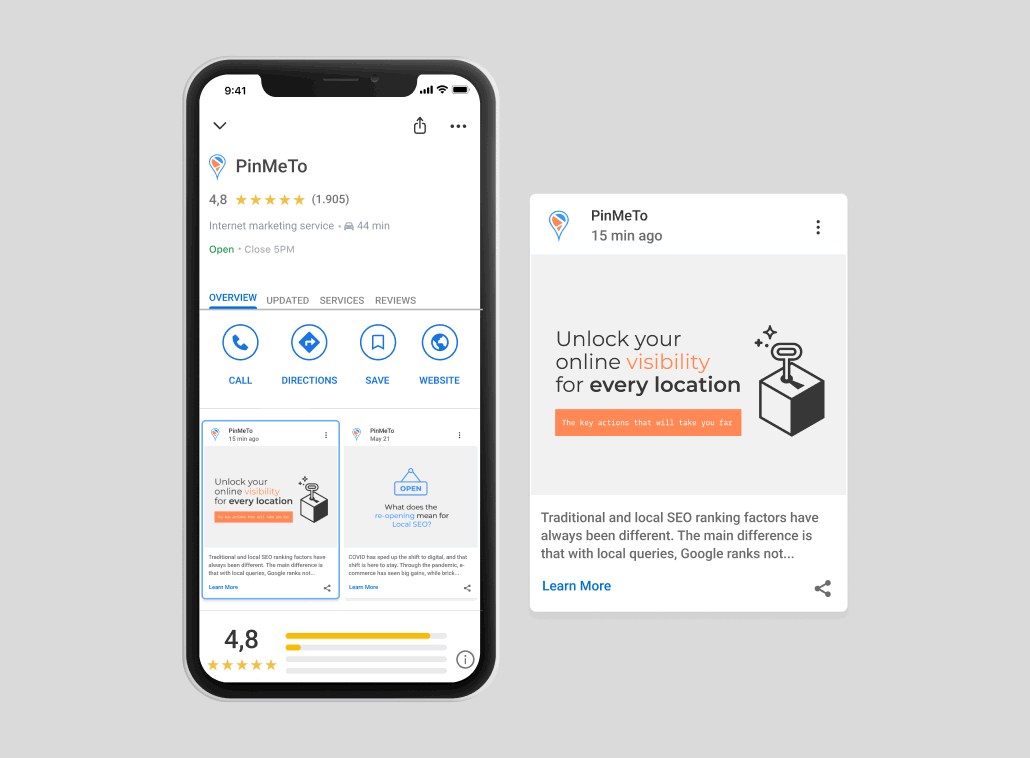
Why should you use local content on Google?
With Google Posts, you can increase visibility and engagement with minimal effort. It’s a great way for readers to get some information about your business before they click on your website or visit your location. Different people prefer different types of content, and it makes sense to take full advantage of all Google My Business and Knowledge Panel features to provide compelling information on your business.
importance of Google My Business, which gives you a chance to stand out and beat the local competition.
Posting on Google My Business is a great way to improve your local SEO strategy and generate more organic traffic. The more you post on Google, the more chances you get to build up your page rankings, get more clicks, collect user information and substantially increase organic traffic to your website.
A high click-through rate from your local Google My Business listings to your website is going to help your rankings too, since this “behavioral signal” is a key Google local search ranking factor. Google My Business Signals is the largest local pack ranking factor with a share of 25.12%, while the remaining 7 factors have less of an impact:
- Review Signals: 15.44%
- Citation Signals: 10.82%
- Personalization: 5.88%
How can you use PinMeTo to publish Google Posts?
How to create Google Posts
- Go to Posts - Create post - Google - Post type: Standard
2. Add an image, link or a phone number
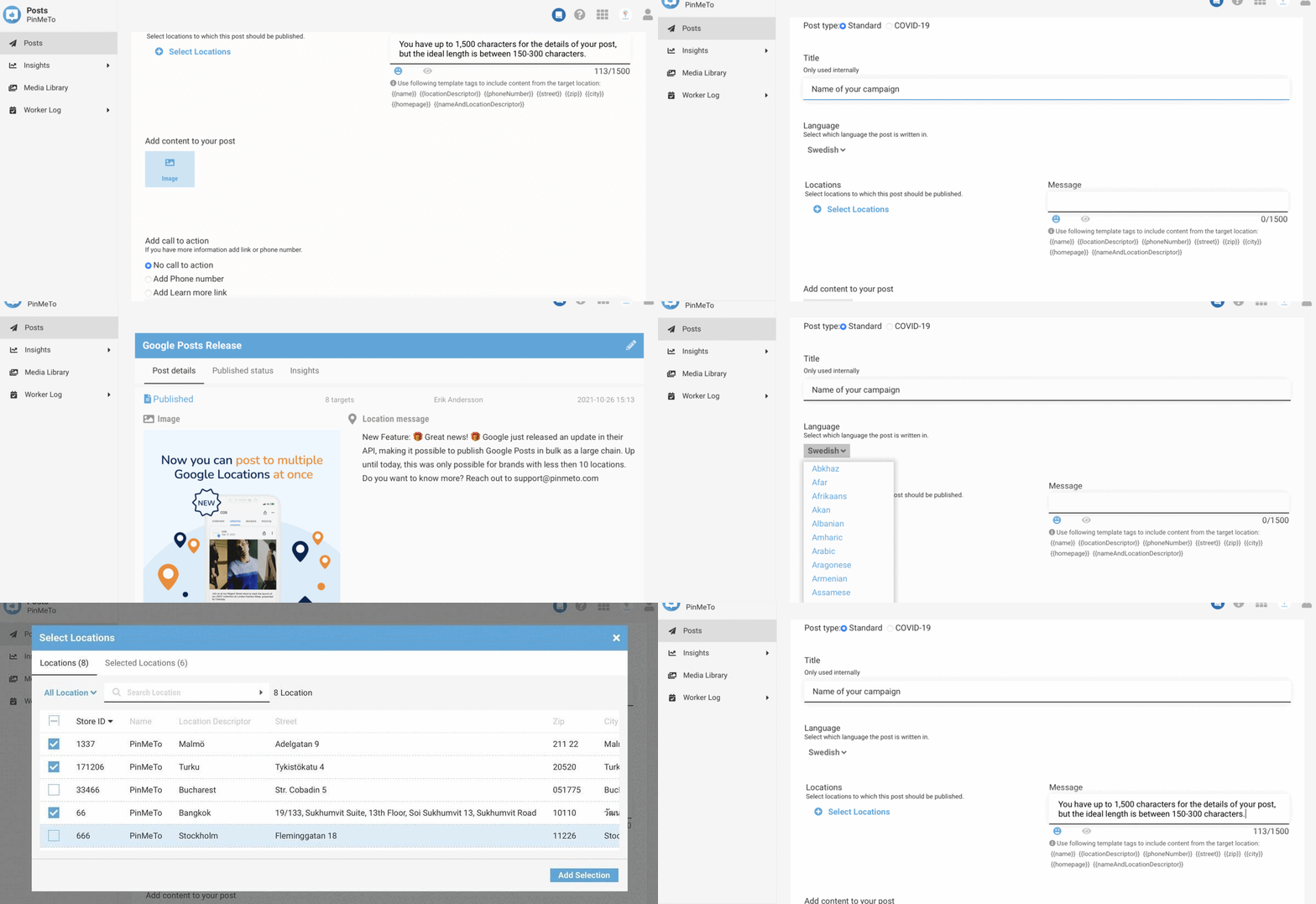
There you go! Now you can easily create Google posts and share them to multiple locations at
once. In addition to this, PinMeTo supports Facebook and Instagram.
Start creating multiple Google posts with PinMeTo.

Recommended Articles

Foursquare’s Evolution: Why It’s a Game-Changer for Local Visibility
PinMeTo syncs verified business data to Foursquare, helping multi-location brands enhance local visibility across trusted POI platforms.
Lily Adamyan
What Is NAP Consistency? The Local SEO Fundamental Every Brand Needs to Get Right
NAP consistency - matching name, address, and phone number across every listing - is a core local SEO signal. Learn what it is, why it matters, and how to audit yours.
Daniel Melkersson
How to Manage Business Listings at Scale: A Step-by-Step Guide
Managing hundreds of business listings? Follow this 5-step workflow to keep location data accurate across 100+ networks, from audit to optimization.
Björn HandellSubscribe to Our Newsletter
Get local SEO tips, product updates, and marketing insights for multi-location brands delivered to your inbox.
Ready to boost your local visibility?
See how PinMeTo helps multi-location brands manage listings, reviews, and local SEO at scale.
Book a Demo