How to Add Social Media Links to Google Business Profile
Originally published
- Multi-Location
- Google Business Profile
- Social Media
- How-to Guides
Recently, Google rolled out a feature allowing businesses to add social media links to their Google Business Profiles (formerly Google My Business). While it’s a straightforward update, it’s one that has significant implications for brand visibility and user interaction, especially for brands managing multiple locations.
Social Media Platforms Supported:
1. Facebook
2. Instagram 3. LinkedIn 4. Pinterest 5. TikTok 6. X (previously Twitter) 7. YouTube
Each platform has its format for URLs, so make sure you follow Google’s guidelines of how to add social media profiles to Google Business Profile.
Here’s How to Do It
1. Access your Business Profile
2. Click ‘Edit Profile’ then navigate to ‘Business Information’ and ‘Contact.’
3. Under ‘Social Profiles,’ select the desired social media platform and enter the web address, adhering to the specific formats provided by Google for each platform.
4. Save your changes.
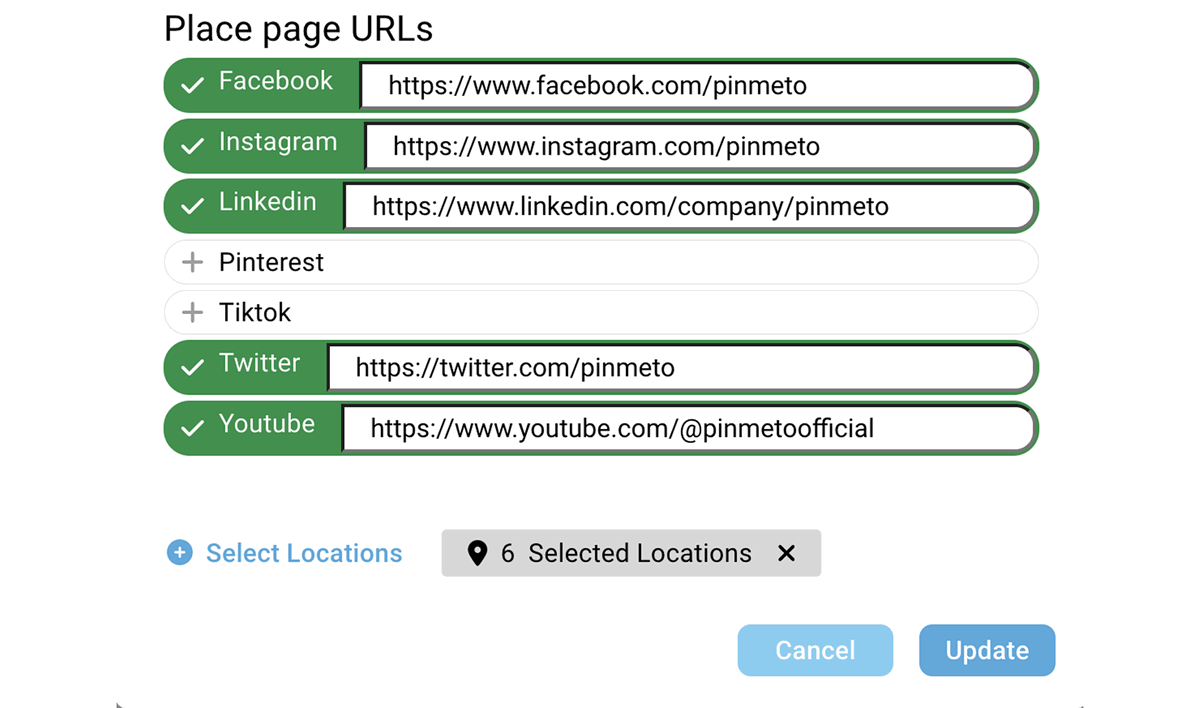
If you manage multiple locations, local listing management tools like PinMeTo can help avoid manual and error-prone updates. Through PinMeTo Listings, you can bulk update your social media links for all locations from one centralised platform.
Why Add Social Media Profiles to Your GBP
Unified Brand Presence
Maintaining consistent and updated social media links across Business Profiles ensures a cohesive brand image, essential for those managing multiple locations.
Improved Visibility
Integrating these links optimises brand visibility across Google’s array of products, allowing companies to stay competitive in local searches.
Efficient Management
For businesses operating in various locations, managing these links through the API can ensure uniformity and accuracy in representation across different areas.
Other Things to Note
- This feature is in gradual rollout, available in specific regions.
- It supports one link per social media platform in each Business Profile.
- Google does not provide performance metrics for these links currently.
- The feature can be managed via API for multiple locations simultaneously.
To Sum Up
This subtle yet effective feature from Google is a step forward in local SEO strategies, allowing brands to manage their online presence effectively. It is important to know how to add social media profiles to Google Business Profile and use the tool wisely. This will make sure that every social media link added is a step towards a more integrated and impactful digital footprint.

Recommended Articles
How to Respond to Google Reviews at Scale Without Sounding Like a Robot
Manage review responses across dozens of locations without losing authenticity. Templates, timing, and a workflow for enterprise-scale review management.
Daniel Melkersson
Google Business Profile Best Practices: The 2026 Playbook
Master Google Business Profile best practices in 2026 with data-backed strategies for multi-location brands to boost local visibility and drive conversions.
Astghik Nikoghosyan
How to Market a Local Business Online: 5-Step Guide
Market your local business online with a 5-step guide, covering Google Business Profile, local SEO, social media, AI tools, and centralized platforms.
Lily AdamyanSubscribe to Our Newsletter
Get local SEO tips, product updates, and marketing insights for multi-location brands delivered to your inbox.
Ready to boost your local visibility?
See how PinMeTo helps multi-location brands manage listings, reviews, and local SEO at scale.
Book a Demo