How to Update Business Hours on Google and Apple Maps: Post-Holiday Manual
Originally published
- Reviews & Reputation
- Listings & Citations
- How-to Guides
- Google Maps
- Apple Maps
Updating your business hours on Google and Apple Maps is more than just a formality but a strategic move to enhance customer trust and satisfaction, reduce frustration, and stay competitive. This guide uncovers the step-by-step process to update your business hours on both platforms, ensuring your customers always have the most current information.
Accurate Business Hours Are Crucial for Your Online Presence
In terms of online visibility, we already know that accurate and up-to-date business hours are a huge factor for a strong presence. The recent research conducted by SEO specialists indicates that Google appears to have adjusted its local search algorithm, giving a business’s stated operating hours greater weight as a crucial ranking factor.
Not to mention that incorrect or outdated information can lead to customer dissatisfaction, diverting them to competitors - 62% of consumers would avoid using a business if they found incorrect information online. Whereas, accurate business hours build trust and increase the likelihood of customers choosing your services.
Updating Business Hours on Google Maps
Google Maps is a go-to resource for customers seeking business information. Here’s how to ensure your Google Maps listing reflects accurate business hours:
1. Access Your Google Business Profile:
- Log into the Google account linked to your business
- Navigate to the Google Apps menu and select “Business Profile”
- Choose the business you wish to update from the Business Profile Dashboard
2. Update Your Business Hours:
- In the “Opening hours” section, select “Open with main hours” and enter the updated times
- Consider adding special hours for holidays or unique business events
- Save your changes to update your profile
3. Verify and Review Your Changes:
Double-check for accuracy and ensure the updated hours are displayed correctly on your Google Business Profile.
Updating Business Hours on Apple Maps
Apple Maps, while distinct in its user base and interface, is equally important for accurate business listings. Here’s how to update your business hours on Apple Maps:
1. Access Apple Business:
- Sign in with your Apple ID at the Apple Business website
- Select “Locations” and choose the business listing you wish to update
2. Update Your Business Hours:
-
Modify the “Hours” section with current opening times
-
Use the “Special Hours” feature for non-standard business hours or holiday schedules
-
Save the changes to reflect these updates on Apple Maps
Streamlining Business Information Updates
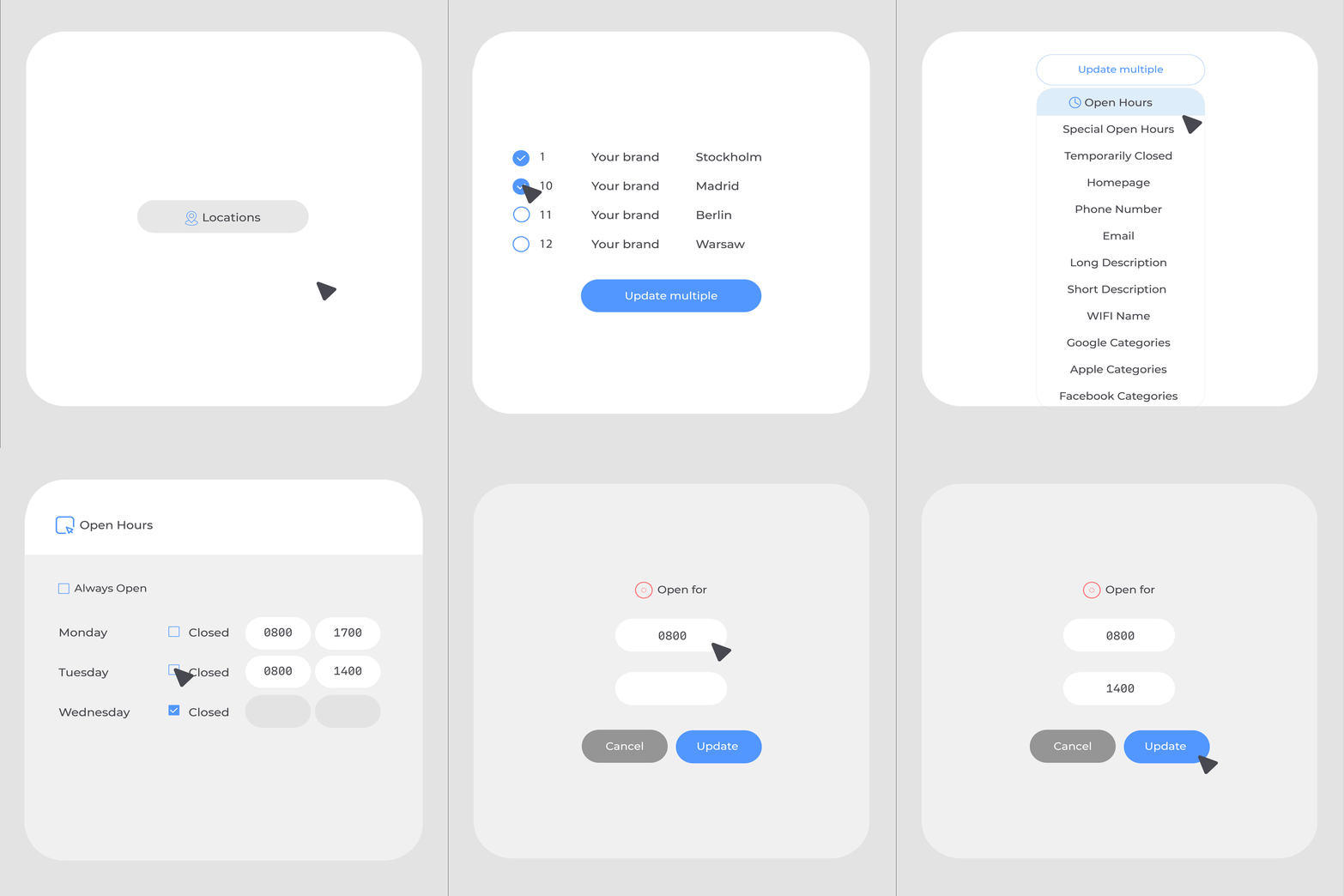
For multi-location businesses, updating business hours manually can be both time-consuming and error-prone. Local listing management automations like PinMeTo offer an efficient solution for bulk updating business hours on Google and Apple Maps. By allowing you to easily schedule custom open hours and manage holiday schedules for all your locations from a single dashboard, PinMeTo allows multi-location brands to maintain accurate and consistent information across various platforms, enhancing both operational efficiency and customer trust.
To Sum Up
Maintaining accurate business hours on Google and Apple Maps is vital for an impactful online presence. Regularly reviewing and updating your listings will prevent customer confusion and contribute to a positive reputation. Embrace the benefits of a well-managed digital presence and start updating your business listings today.

Recommended Articles
How to Use AI to Rank in Google Maps: FAQ
Learn how AI can boost your Google Maps rankings through optimized listings, review analysis, and structured data for improved local visibility.
Lily Adamyan
How to List Your Business on Maps and How Long it Takes
Learn how to get your business listed on maps. Listing times vary per platform: Google Maps (up to 2 weeks), Foursquare (instant), Bing (5-6 days), Apple...
Lily Adamyan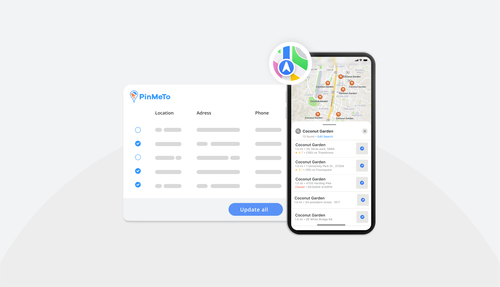
Apple Business | How to Optimise Your Apple Maps Listings
Optimize your Apple Business listings to be visible for all Apple Maps & Siri voice search users. Learn the specifics of Apple Maps listings management.
Astghik NikoghosyanSubscribe to Our Newsletter
Get local SEO tips, product updates, and marketing insights for multi-location brands delivered to your inbox.
Ready to boost your local visibility?
See how PinMeTo helps multi-location brands manage listings, reviews, and local SEO at scale.
Book a Demo